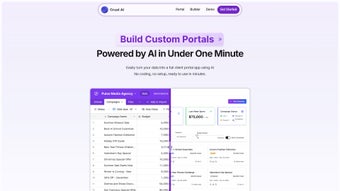

Download Crust AI – No‑Code AI Business Software Creation Tool
Overview – Empower Your Business with No‑Code AI
Crust AI is a cloud‑based, no‑code platform that lets businesses design, build, and launch custom applications without writing a single line of code. By leveraging an AI‑driven assistant, the tool translates plain‑language business requirements into functional UI components, database schemas, and API endpoints. Whether you need a simple CRM, an inventory tracker, or a full‑featured e‑commerce backend, Crust AI can generate a prototype in minutes and a production‑ready version in hours.
Because all processing happens on secure servers, the user’s device only requires a modern web browser and a stable internet connection. This architecture eliminates the need for local SDKs, complex server setups, or ongoing maintenance patches. Updates are rolled out automatically, ensuring that users always benefit from the latest AI models, security standards, and feature enhancements.
In practice, organizations adopting Crust AI report a dramatic reduction in development costs—often 40‑60 % lower—while accelerating time‑to‑market by up to three months. The platform is especially valuable for teams that lack dedicated developers, such as marketing, operations, or HR departments, because it democratizes software creation and empowers subject‑matter experts to solve problems directly. With built‑in compliance tools, encrypted data storage, and role‑based access controls, Crust AI also addresses the security concerns that typically accompany cloud‑native development.
In short, Crust AI removes traditional barriers—cost, expertise, and time—so any organization can innovate faster, stay competitive, and focus on core business goals rather than infrastructure.
Features, Installation & Compatibility – Build and Deploy in Minutes
- AI‑Guided Builder: Conversational prompts turn business goals into UI layouts, data models, and API routes.
- Drag‑and‑Drop Designer: Visual canvas for screens, forms, and dashboards; no coding required.
- Workflow Automation: Natural‑language rules become reliable automation scripts.
- Smart Data Connectors: One‑click links to Google Sheets, Airtable, MySQL, PostgreSQL, and REST APIs.
- Real‑Time Collaboration: Multi‑user editing, version history, and permission tiers.
- Responsive Engine: Automatic adaptation to desktop, tablet, and mobile viewports.
- Analytics & Reporting: Built‑in KPI dashboards, CSV export, and scheduled email summaries.
- Secure Cloud Hosting: Encrypted storage, GDPR/CCPA compliance, and regular security audits.
- Marketplace Extensions: Pre‑built modules, AI widgets, and third‑party integrations.
- Continuous Updates: New AI models and UI components delivered automatically.
Step‑by‑Step Installation (Web‑Based)
- Create an Account: Visit crust.ai, click “Sign Up,” and verify your business email.
- Set Up a Workspace: Define a workspace, invite team members, and assign roles (Admin, Designer, Viewer).
- Launch a Project: Click “New Project,” answer the AI assistant’s onboarding questions, and watch a starter app appear.
- Customize & Deploy: Use the drag‑and‑drop canvas to tweak layouts, add workflows, then hit “Publish” to host instantly.
For users who prefer offline access, Crust AI offers a progressive web app (PWA) mode that caches the latest project locally and synchronizes changes once a connection is restored. Because all heavy lifting—AI inference, data processing, and rendering—occurs on Crust AI’s servers, the local device only needs 2 GB RAM and a broadband connection of at least 5 Mbps.
Supported Operating Systems & Browsers
Crust AI runs on any modern operating system with a recent web browser. Official support includes:
- Windows 10/11 – Edge, Chrome, Firefox, Opera
- macOS 12+ – Safari, Chrome, Firefox
- Linux – Chromium‑based browsers (Chrome, Edge)
- iOS 14+ – Safari (via PWA)
- Android 10+ – Chrome or any WebView‑compatible browser
This broad compatibility makes Crust AI ideal for remote teams, BYOD environments, and organizations that need to support a variety of devices without additional configuration.
Pros, Cons & Frequently Asked Questions
Pros
- Zero‑code development cuts build time dramatically.
- AI‑driven suggestions speed design and data modeling.
- All‑in‑one secure cloud hosting removes server management.
- Responsive design works out‑of‑the‑box on any device.
- Strong compliance (GDPR, CCPA, SOC 2) protects sensitive data.
- Marketplace offers ready‑made modules for niche needs.
- Real‑time collaboration supports distributed teams.
- Automatic updates keep the platform current.
- Scalable pricing fits startups to enterprises.
- Responsive support with AI‑enhanced troubleshooting.
Cons
- Requires continuous internet; offline mode is limited.
- Very complex business logic may still need custom code.
- Learning curve for AI‑assistant terminology.
- Full‑version pricing can be high for very small teams.
- Exporting to a self‑hosted environment is not native.
Is Crust AI truly a no‑code platform?
Yes. All core functions—UI design, data modeling, workflow automation, and deployment—are performed through visual tools and AI‑driven prompts. Custom code is optional for advanced extensions.
Can Crust AI integrate with existing ERP systems?
Absolutely. Pre‑built connectors for SAP, Oracle NetSuite, and Microsoft Dynamics are available, and the platform supports custom REST APIs for any other ERP.
How secure is the data stored on Crust AI?
Data is encrypted at rest (AES‑256) and in transit (TLS 1.3). Crust AI complies with GDPR, CCPA, and SOC 2, and undergoes regular third‑party security audits.
What happens if I cancel my subscription?
Your workspace switches to read‑only mode for 30 days, allowing data export or download of a static web package. After that period, the data is permanently deleted per the retention policy.
Is there a free trial available?
Crust AI offers a 14‑day free trial of the full version with unrestricted access to all AI features. No credit card is required to start the trial.
Conclusion – Transform Your Ideas into Working Software Today
Crust AI delivers a powerful, AI‑enhanced no‑code experience that bridges the gap between business vision and functional software. By removing the need for traditional coding, it democratizes application development and enables any team—whether a solo founder or a large enterprise—to prototype, iterate, and launch tools that directly address operational challenges. The platform’s comprehensive feature set, secure cloud hosting, and seamless integrations make it a compelling choice for organizations seeking speed, flexibility, and cost efficiency. Ready to accelerate your digital transformation, reduce reliance on external developers, and keep your data under strict control? Download Crust AI now and start building the future of your business with a 14‑day free trial that unlocks every AI‑powered capability.
Crust AI delivers an impressive balance of usability and power. The AI‑guided builder is genuinely helpful, especially for teams lacking developer resources. While offline capabilities are limited and highly specialized logic may still need custom code, the overall experience is smooth, secure, and remarkably fast. For businesses looking to prototype and launch internal tools without heavy upfront investment, Crust AI is a top‑tier choice.
- Pros: Rapid development, AI assistance, strong security, cross‑platform compatibility.
- Cons: Requires internet, occasional need for custom extensions, price point for full version.



.png)



